🚀 You can now link multiple projects to a workspace
You can now link multiple projects to the same workspace, making it easier to manage several projects with the same client while keeping everything in one place.
Tasks inside workspaces are now organized in two levels: workspace tasks and project tasks.
How it works:
- From the workspace inbox → Tasks tab, you will find a button that allows you to create a new project or link an existing project to the workspace.
- Once projects are linked, you can navigate between them using the project badge at the top of the page.
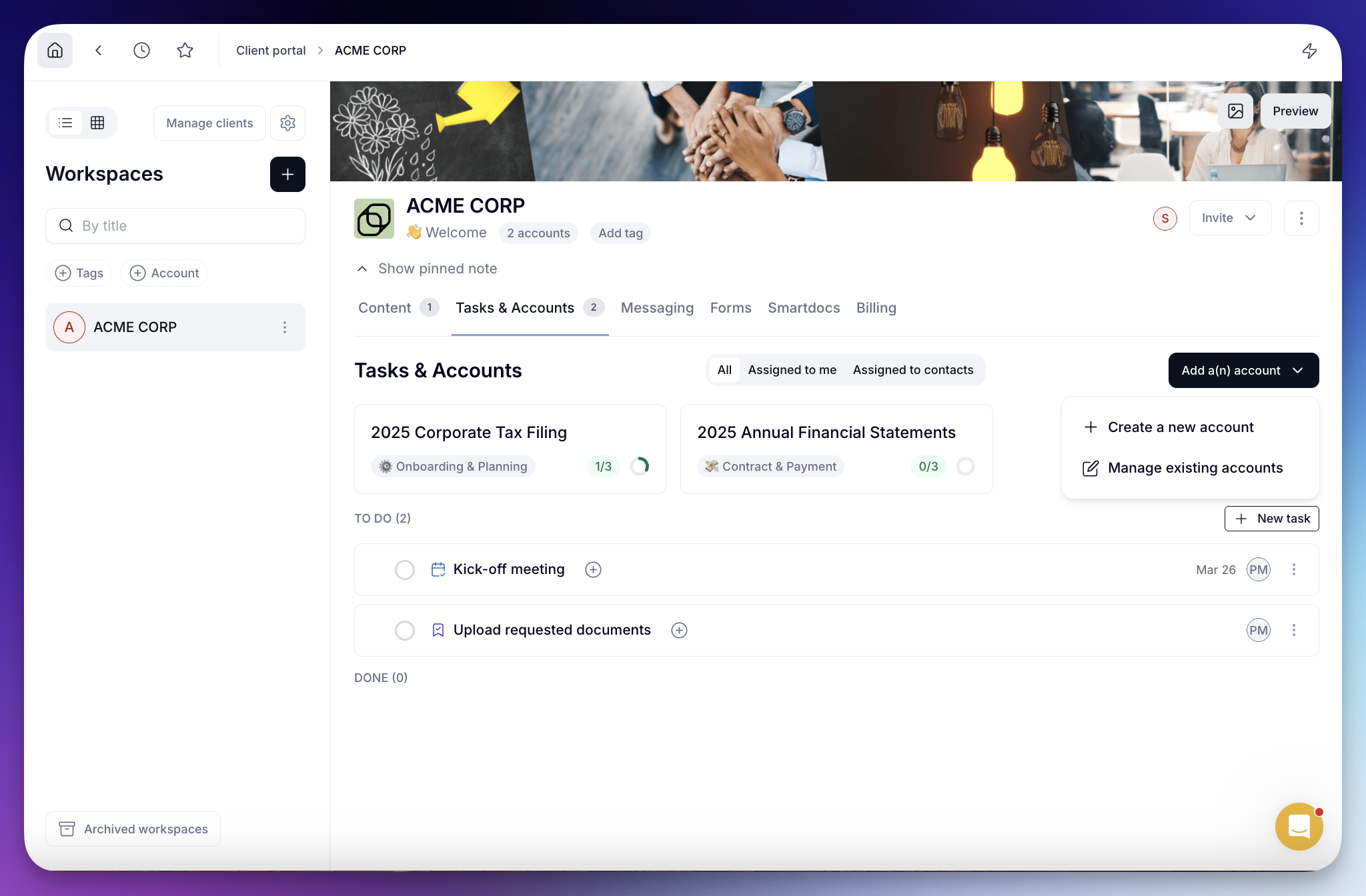
Tasks are now structured in two levels:
• Workspace tasks → tasks that belong to the workspace itself (general coordination, shared actions, etc.)
• Project tasks → tasks linked to a specific project
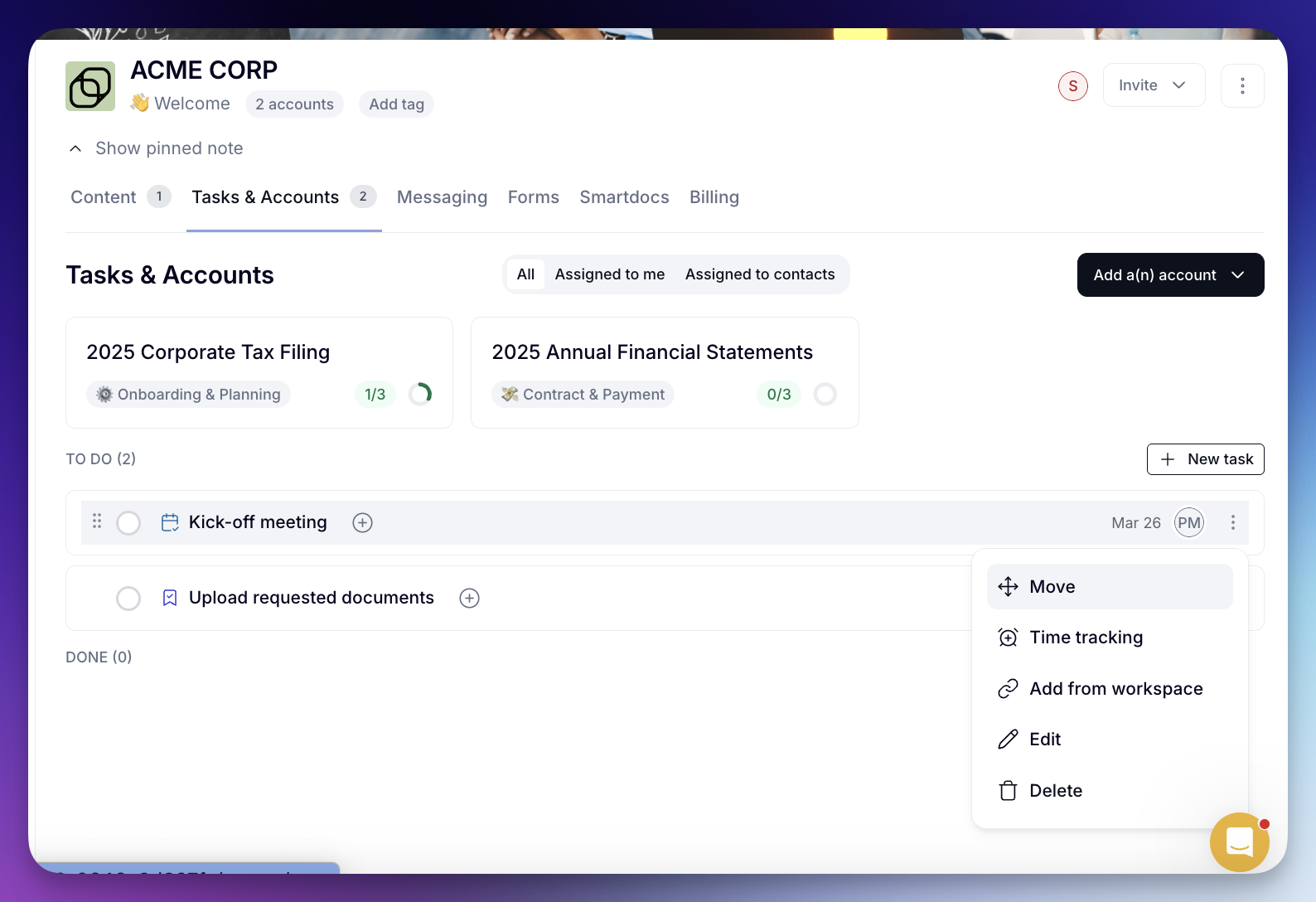
Tasks can also be easily moved between the workspace task list and project task lists when needed:
This update makes workspaces more flexible and better suited for teams managing multiple projects with the same client. Let us know what you think!