Upload files into public folders
Share a folder with a public link and let anyone — clients, prospects, partners — drop files into it without creating an account or logging in.
How it works:
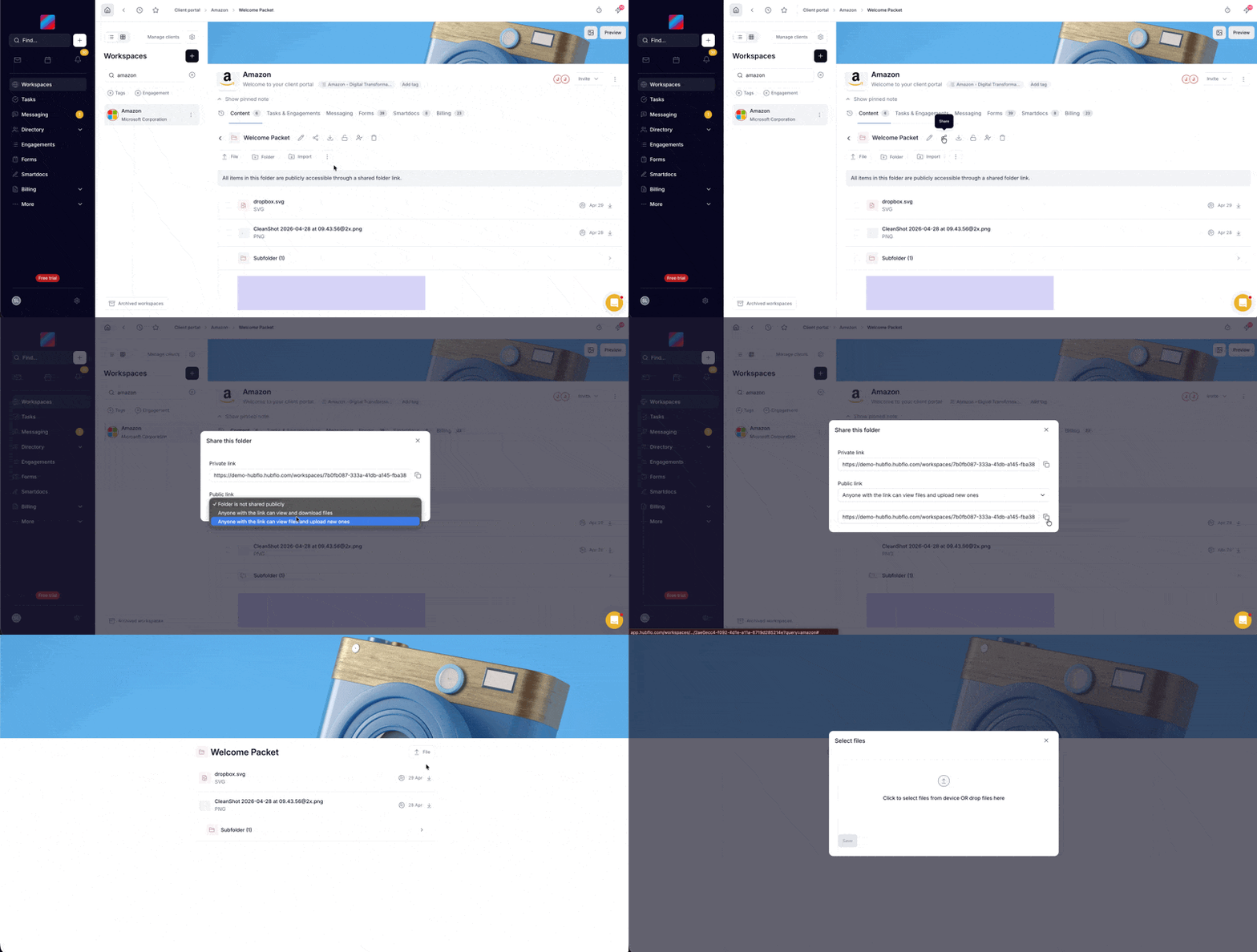
- Open any folder and click "Share" to access the new unified share modal.
- Choose "Anyone with the link can view files and upload new ones".
- Send the link. Recipients see an "Upload file" button right next to the folder title and can upload immediately.
Uploaded files land directly in the folder, ready for your team to review.
Note for admins: the portal setting "Allow generating a public link for a folder" must be enabled to use public links.