🚀 Task Templates: 2 New Updates
We’ve shipped a couple of improvements to make task templates more powerful and easier to use ✨
1. Use Task Templates in projects
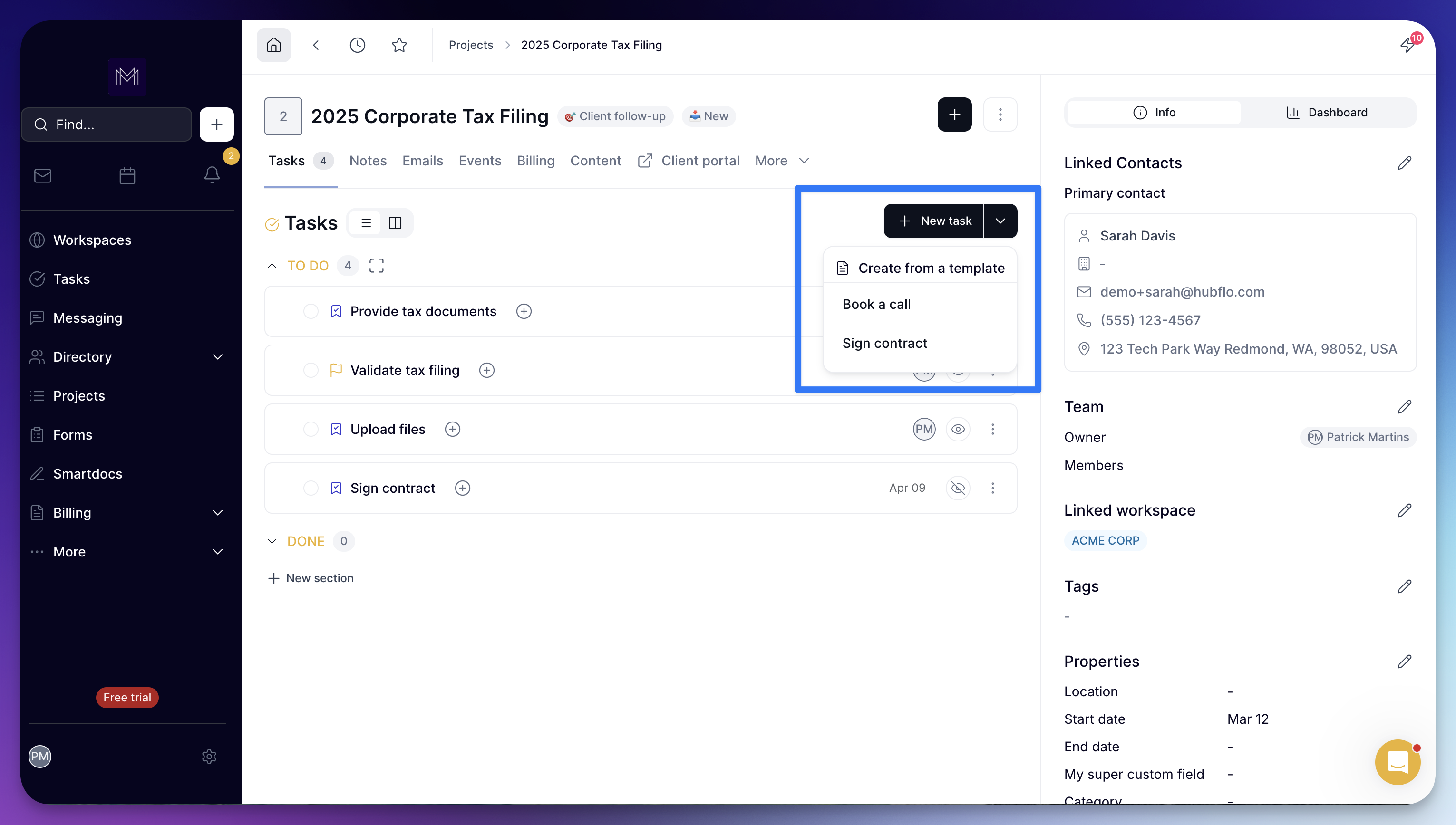
You can now use task templates directly in the projects view.
Create a task from a template using the “New task” dropdown — all properties are automatically applied.
👉 Note: this currently works for projects without task sections.
2. Relative Due Dates
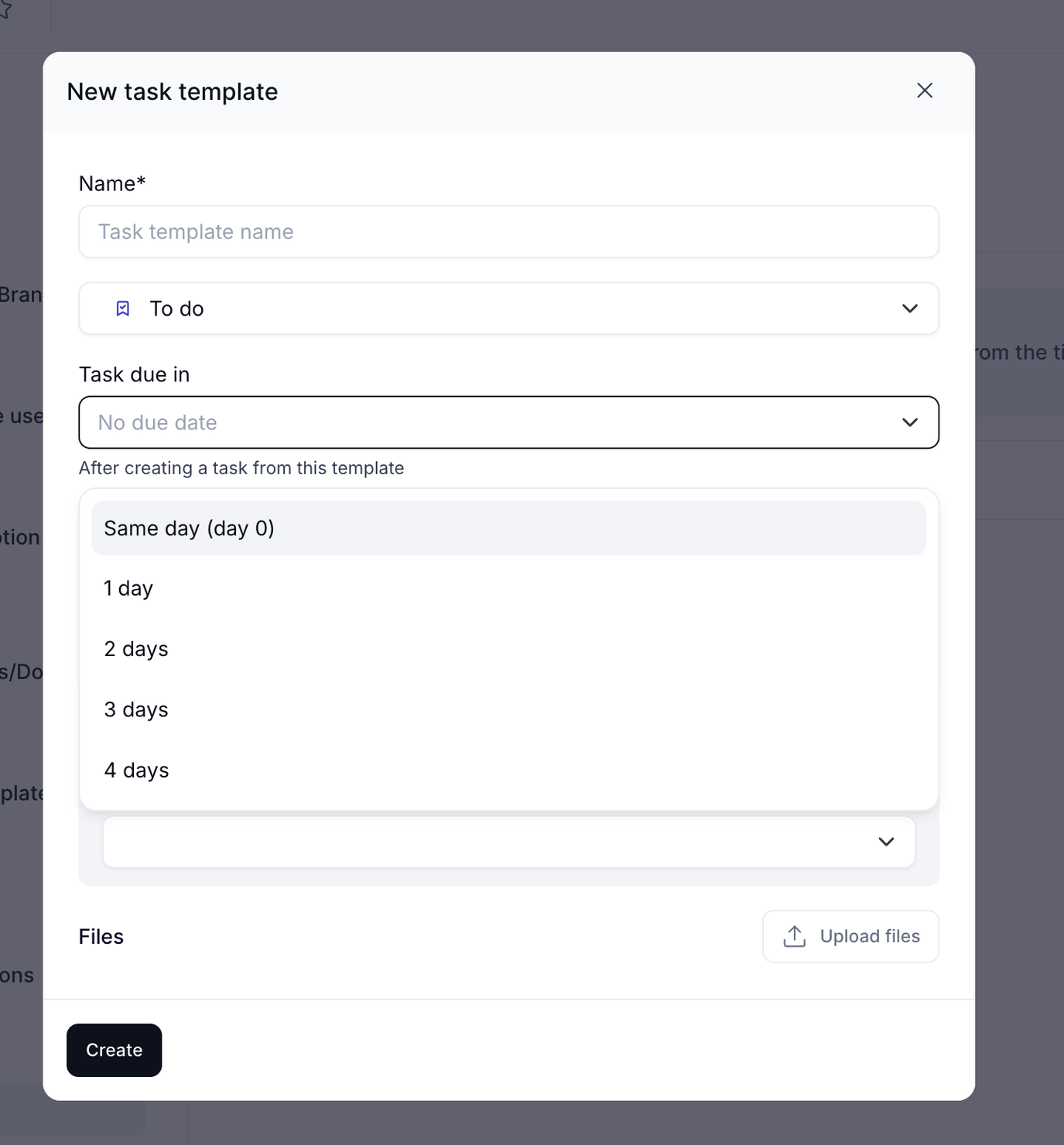
It’s now possible to define a relative due date in task templates.
Instead of manually setting a fixed date, you can choose when the task should be due after its creation (e.g. same day, +3 days, etc.).
👉 Example: if “3 days” is set and the task is created on May 24, the due date will be May 27.
⏭️ Coming next
We’ll extend relative due dates to section templates and workspace templates.
Let us know what you think!