🚀 New: Request a client to fill out a form for a specific workspace
New Feature
You can now send form completion requests for forms tied to specific workspaces.
⚙️ How it works:
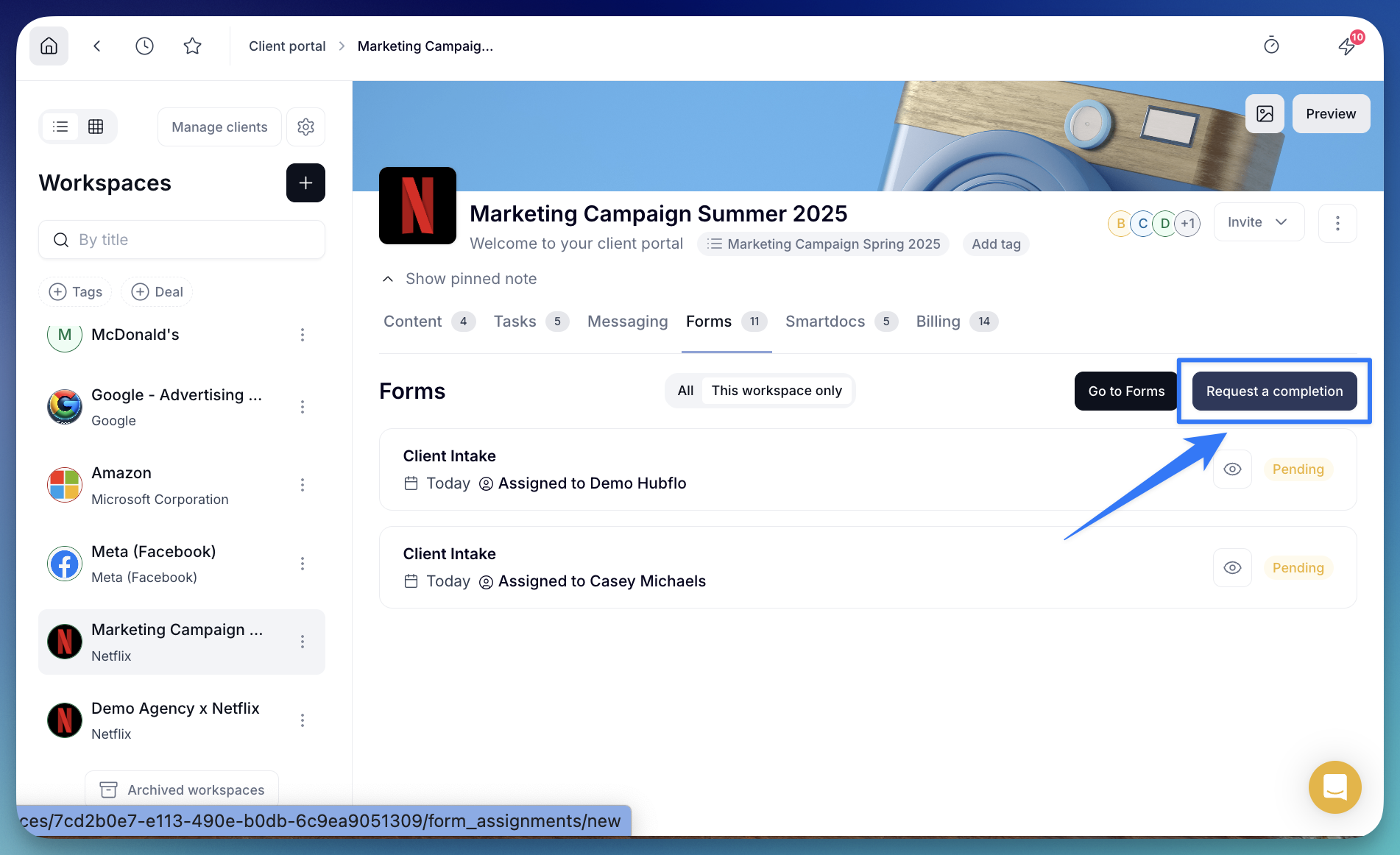
- From the Forms tab in the workspace inbox view, click “Request a completion”
- Choose the form you want to send
- Select a client who has access to this workspace
🔎 New filters added
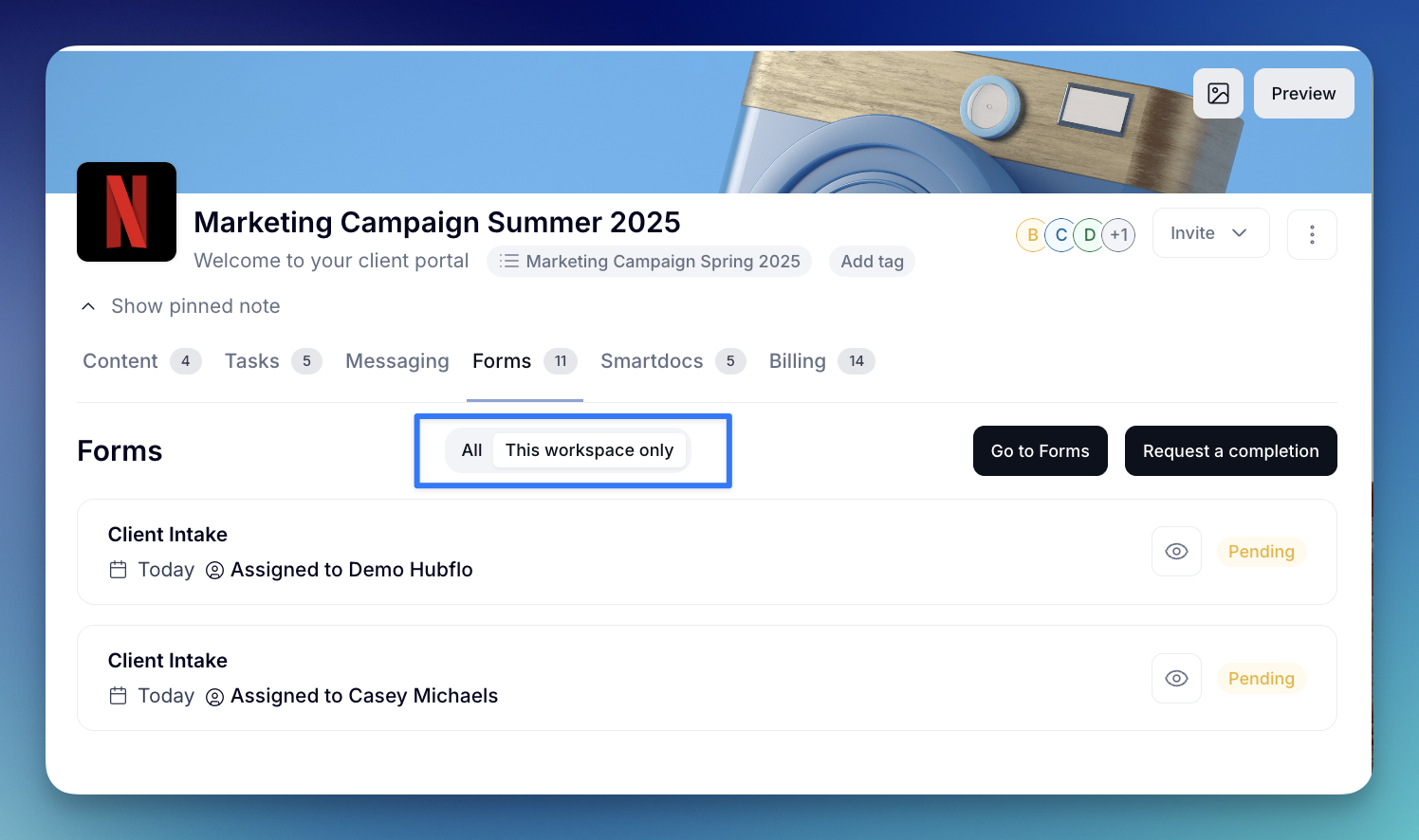
To help you navigate forms more easily, you can now filter by:
• All forms: Shows every form assigned to clients who are active in the workspace.
• This workspace only: Shows only the form requests that are specifically linked to this workspace.
👀 What your client sees
- Forms linked to a workspace appear in the Action required section inside that workspace.
- Any other forms sent to your client still appear in their portal under the Forms tab.
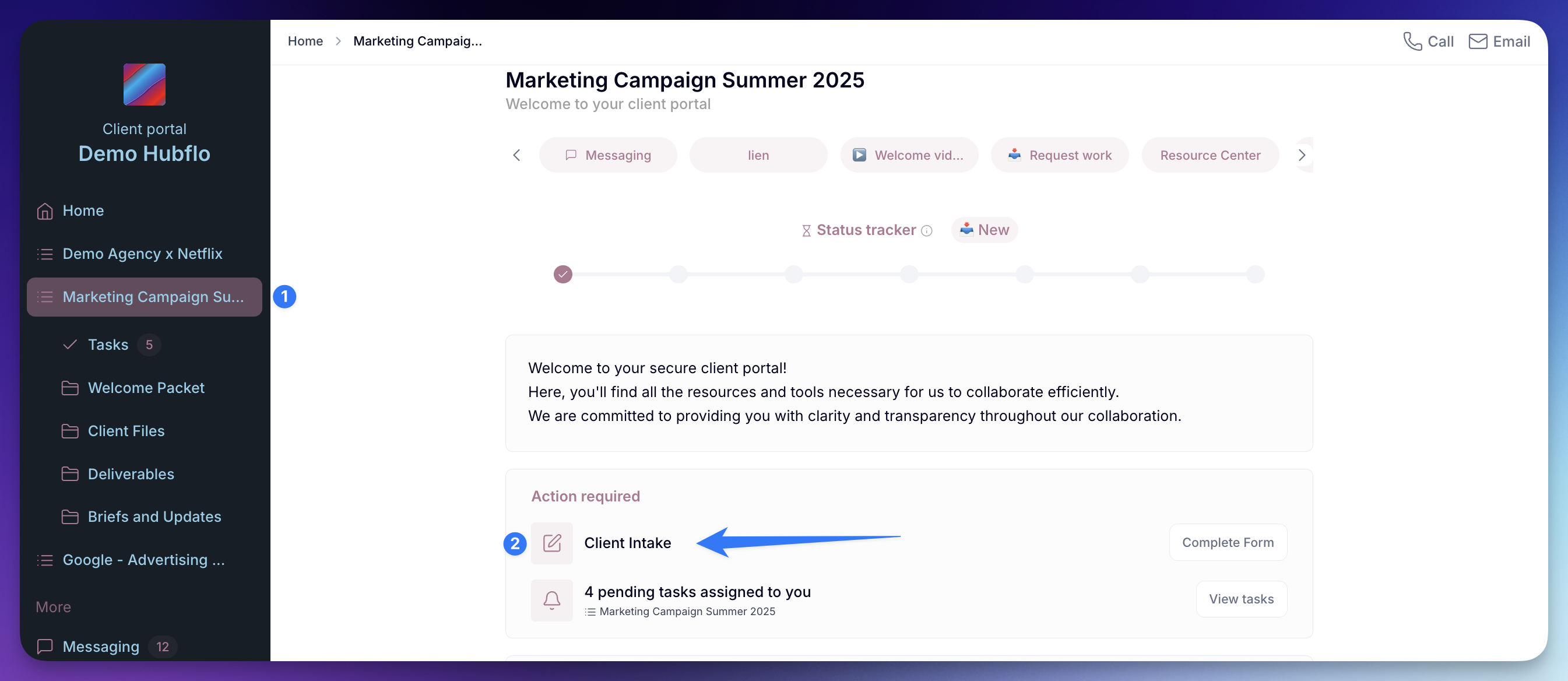
This keeps things clear and prevents confusion across workspaces ✨